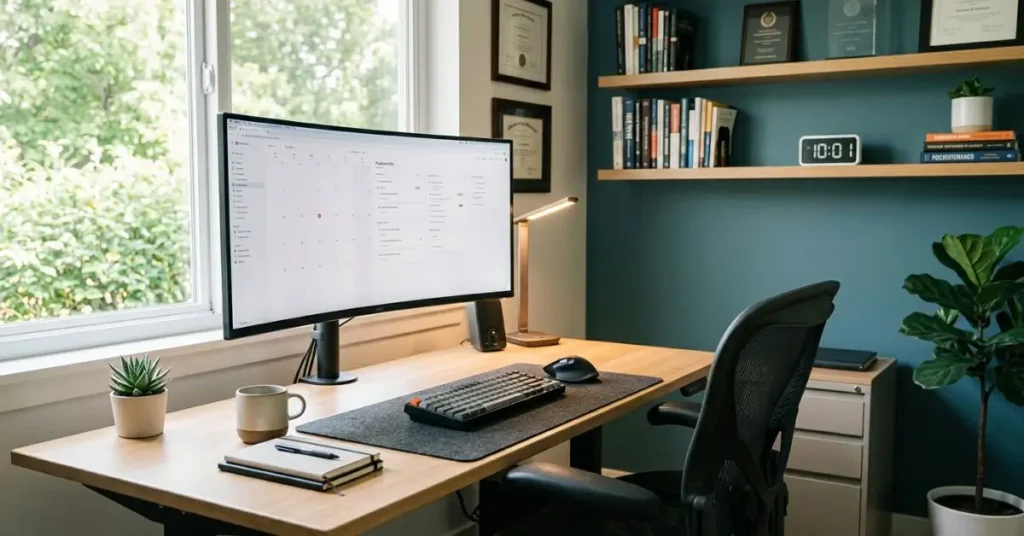

Home Office Setup Ideas
Working from home sounds great — until your kitchen table becomes your office, your couch becomes your chair, and your focus disappears before lunch.
The truth is, where and how you work at home makes a massive difference. A poorly set up workspace drains energy, causes physical strain, and kills motivation. A well-designed one does the opposite — it keeps you focused, comfortable, and productive throughout the day.
In this guide, you’ll find practical, tested home office setup ideas that actually work. Whether you’re starting from scratch or just want to improve what you already have, there’s something here for every space and budget.
What is a Home Office Setup?
A home office setup refers to the dedicated workspace you create at home to support focused, productive work. It includes your desk, chair, lighting, equipment, storage, and the overall environment. A good setup balances comfort, function, and organization to minimize distractions and support long working hours without physical strain.
Quick Summary
Your home office setup directly affects how well you work. Invest in a good chair and desk, get proper lighting, manage cables, reduce noise, and keep things organized. Small changes = big results.
Choose the Right Location First
Before buying anything, pick the right spot in your home.
The ideal home office location is away from high-traffic areas like the living room or kitchen. A spare bedroom works best. A quiet corner works too. What you want to avoid is sitting in a space where family members constantly walk through or where the TV is always on in the background.
Natural light is a big bonus. A workspace near a window feels better, reduces eye strain, and actually boosts mood and alertness. Just make sure the light doesn’t hit your screen directly and cause glare.
If you live in a small apartment — like many people do in cities like Chicago or New York — you can still create a dedicated zone using a room divider, bookshelf, or even a large rug to visually separate your workspace from your living area.
Invest in an Ergonomic Chair (It’s Worth It)
This is the one thing most people regret skimping on.
If you’re sitting for 6–8 hours a day, a bad chair will hurt your back, your neck, and eventually your mood. A proper ergonomic chair supports your lower back, keeps your feet flat on the floor, and lets your arms rest comfortably at desk level.
You don’t need to spend $1,000. Brands like Branch, HON, or Autonomous offer solid ergonomic chairs in the $250–$450 range that are genuinely good for daily use.
Look for: lumbar support, adjustable armrests, seat depth adjustment, and breathable material.
Pick the Right Desk for Your Work Style
Your desk is the foundation of your productive workspace. The size, height, and style all matter.
Standard desk: A fixed-height desk works fine if it’s at the correct height for your body. Your elbows should be at roughly 90 degrees when typing.
Standing desk: If you sit all day, a sit-stand desk is worth considering. Studies from the American Journal of Public Health show that alternating between sitting and standing reduces fatigue and improves focus. Brands like FlexiSpot offer affordable electric standing desks starting around $300.
L-shaped desk: Great if you need more surface space — especially if you have a second monitor, notebooks, and other gear.
Keep your desk surface clutter-free. If your workspace is messy, your thinking tends to be too.
Get Your Monitor Height and Distance Right
This is one of the most overlooked home office setup ideas, but it directly affects your posture and eye health.
Your monitor should be:
- At eye level or slightly below (not looking up or sharply down)
- About an arm’s length away from your face (roughly 20–28 inches)
- Tilted slightly back (10–20 degrees) to reduce neck strain
If you use a laptop, get a laptop stand and pair it with an external keyboard and mouse. Hunching over a laptop for hours is one of the fastest ways to develop neck and shoulder pain.
If you work with lots of data, documents, or tabs — a dual monitor setup can genuinely boost your efficiency. Many remote workers report saving 30–60 minutes a day just by having more screen real estate.
Lighting Makes or Breaks Your Workspace
Poor lighting causes eye strain, headaches, and fatigue. Good lighting helps you stay alert and work longer without discomfort.
Natural light is ideal. Position your desk so the window is to your side — not directly behind or in front of your screen.
Ambient lighting: Use a ceiling light or floor lamp to evenly light the whole room. Avoid working in a dark room with only your monitor as the light source.
Task lighting: A good desk lamp with adjustable brightness and color temperature is a smart buy. Look for lamps with 3000K–5000K color range — warmer tones for evenings, cooler tones for focused daytime work.
Bias lighting (a light strip behind your monitor) reduces eye strain by balancing the brightness difference between your screen and the surrounding area.
Manage Your Cables Properly
This sounds minor, but a messy cable situation creates visual clutter that subtly affects your focus.
Simple fixes:
- Use cable clips or velcro ties to bundle cables together
- A cable management tray under your desk keeps wires off the floor
- A power strip with surge protection mounted under or behind your desk keeps things clean and safe
Cable management is one of those home office improvements that costs very little but makes a surprisingly big difference in how your space feels.
Control Noise and Distractions
If you have kids, roommates, or live on a busy street, noise is a real productivity killer.
Noise-canceling headphones are one of the best investments for a home office. Brands like Sony (WH-1000XM5) or Bose (QuietComfort 45) are popular choices. Even more affordable options like Anker Soundcore Q45 do a solid job.
For your home office environment, soft furnishings like rugs, curtains, and even bookshelves help absorb sound and reduce echo — especially in hard-floored rooms.
If calls are a big part of your work, consider a USB microphone or a headset with a boom mic. Your audio quality on calls matters more than most people realize.
Add Storage and Organization
A cluttered desk = a cluttered mind. Seriously.
Use desk organizers for stationery. A filing cabinet or drawer unit keeps documents out of sight but accessible. Wall-mounted shelves are great for books and reference materials without taking up desk space.
If you work with paper a lot, a small printer shelf or dedicated corner for your printer keeps it accessible without cluttering your main work surface.
Label things. Keep only what you need on your desk. Everything else goes in storage.
Add a Touch of Personality (Without Going Overboard)
Your workspace should feel like yours. A cold, sterile desk setup is not inspiring.
A small indoor plant (like a pothos or snake plant) improves air quality and adds a calming visual element. A framed photo, a motivational quote, or a piece of art you like can make the space feel more inviting.
The key is balance. One or two personal items keep the space human. Ten personal items become clutter.
Use a Quick-Reference Setup Comparison Table
| Feature | Budget Setup ($300–$500) | Mid-Range Setup ($800–$1,500) | Premium Setup ($2,000+) |
|---|---|---|---|
| Chair | Basic ergonomic chair | Adjustable lumbar support chair | High-end ergonomic (e.g., Herman Miller) |
| Desk | Fixed-height desk | Sit-stand desk | Electric standing desk with memory |
| Monitor | Single 24″ monitor | Dual 24″ monitors | Ultrawide or dual 27″+ monitors |
| Lighting | Desk lamp | Adjustable lamp + bias light | Smart lighting system |
| Storage | Desk organizer | Filing cabinet | Built-in shelving + cabinet |
Don’t Forget Your Internet Setup
A slow or unreliable connection ruins everything else in your home office.
If your router is far from your workspace, use a Wi-Fi extender or switch to a mesh network system (like Google Nest or Eero). For important video calls, plug directly into your router using an Ethernet cable — it’s faster and far more stable than Wi-Fi.
Speed matters. If you’re working from home full-time, aim for at least 100 Mbps download speed. Check your current speed at fast.com and upgrade your plan if needed.
Build a Routine That Matches Your Space
Even the best home office setup ideas only work when you pair them with good habits.
Start and end work at the same time each day. Take regular breaks — the Pomodoro method (25 minutes work, 5-minute break) is simple and effective. Step away from your desk for lunch.
Your brain associates the physical space with work. The more consistently you use your home office for focused work (not Netflix), the more automatically you’ll shift into work mode when you sit down.
Conclusion
Your home office is an investment in yourself. You don’t need to redo everything at once — start with the basics (a good chair, proper lighting, and a clean desk) and build from there.
Even small improvements make a real difference in how you feel and how much you get done each day. If this guide helped you plan your space, explore more home improvement ideas on Techbillion — we cover everything from room makeovers to smart home upgrades.
Frequently Asked Questions
What is the most important thing in a home office setup for productivity?
Ergonomics — your chair and desk setup. If you’re uncomfortable, you can’t focus. Start there, and build everything else around it.
How much should I spend on a home office setup?
You can build a solid workspace for $500–$800. Spend the most on your chair and desk. Add monitors, lighting, and accessories over time.
How do I set up a home office in a small space?
Use a wall-mounted desk, floating shelves, and a compact chair. Pick a dedicated corner, keep it clutter-free, and use a room divider to separate your work zone visually.
Does lighting really affect productivity?
Yes. Poor lighting causes eye strain and fatigue. Aim for natural light or a lamp with 4000K–5000K color temperature for focused daytime work.
What plants are good for a home office?
Pothos, snake plants, and ZZ plants. Low maintenance, air-purifying, and they make your workspace feel less sterile.
Is a standing desk worth it?
Yes, if you sit all day. Switching between sitting and standing reduces back pain and fatigue. If budget is tight, a desk converter works well too.